
Here are the steps to create Advance Payment for Multiple Students:Step 1: Navigate to Advance Receipt Creation
Go to Credit Management → Advance → Credit Action → Advance Receipt

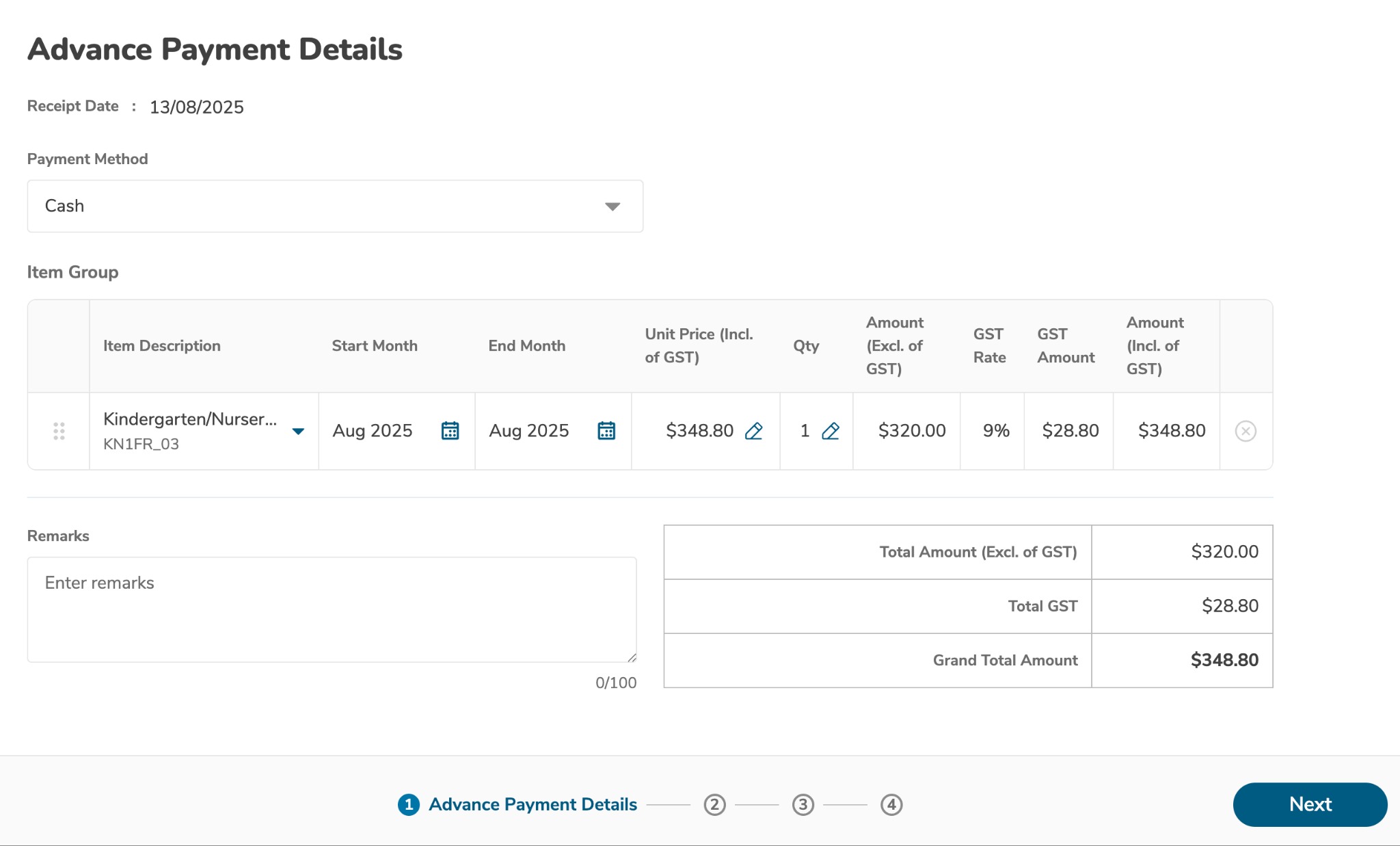
Step 2: Configure Receipt Details
Select the Fee Item from the dropdown menu
Update Unit Price (if different from default)
Set Start Month and End Month for the payment period
Click Next to proceed
Step 3: Select Centre
Choose the appropriate centre from the list
Click Next to continue
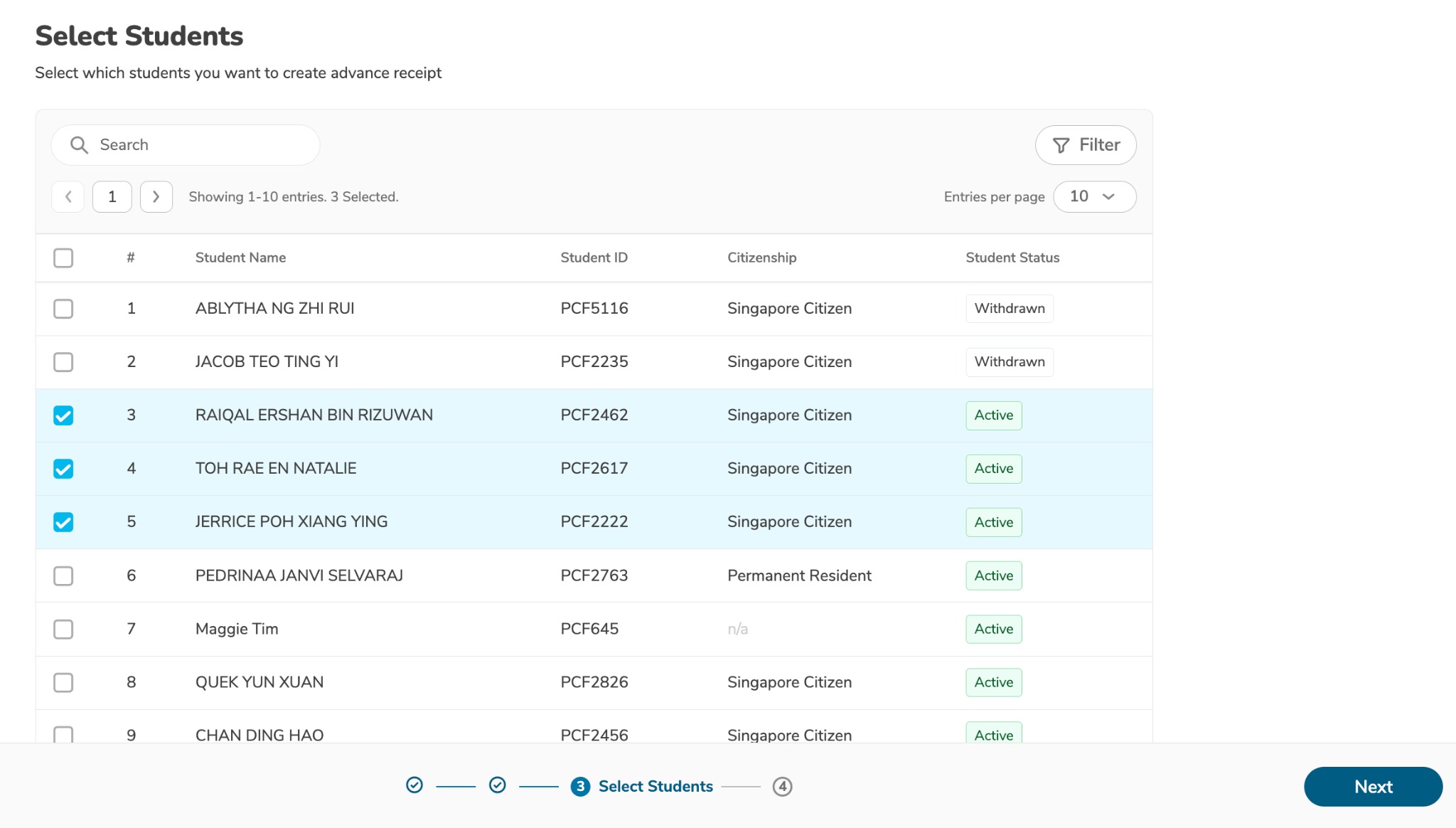
Step 4: Choose Students
Select multiple students by ticking their checkboxes
Review your selections carefully
Click Next to proceed
Step 5: Review and Create
Review all information including:
Fee item details
Selected students
Payment amounts
Date ranges
Click Create Advance Receipt to finalize
Watch the video below:
Was this article helpful?
That’s Great!
Thank you for your feedback
Sorry! We couldn't be helpful
Thank you for your feedback
Feedback sent
We appreciate your effort and will try to fix the article