
Here are the steps to verify payment application (View Receipt After Utilization of Advance Payment):
Step 1: Navitage to Check Student's Billing Account
Go to the Billing Account → Search for the student by name/ID/code/etc → click on the student's name to view the details
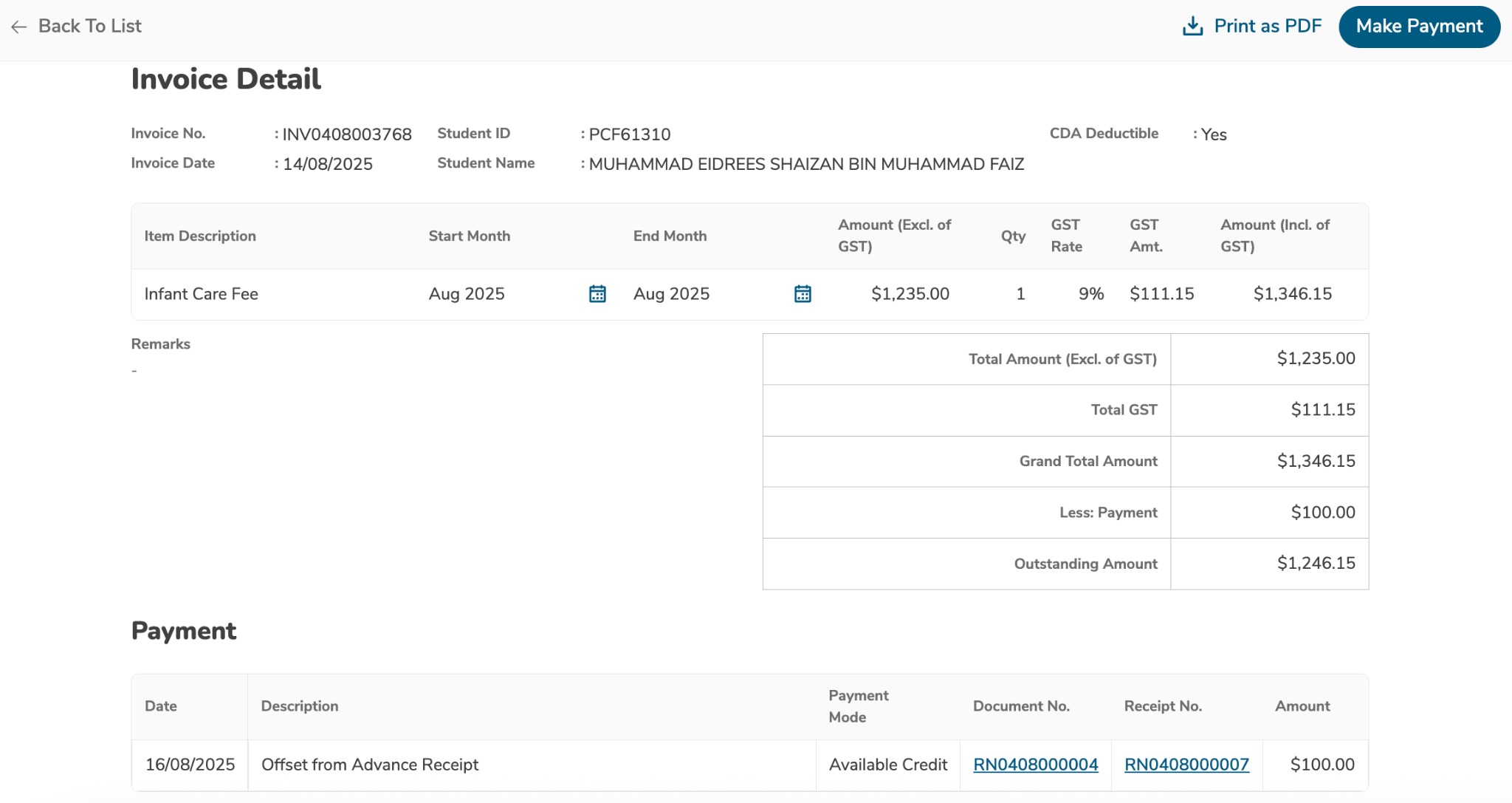
Step 2: Check Invoice Details
Click on the Invoice Number to view updated details
Verify the credit has been applied correctly
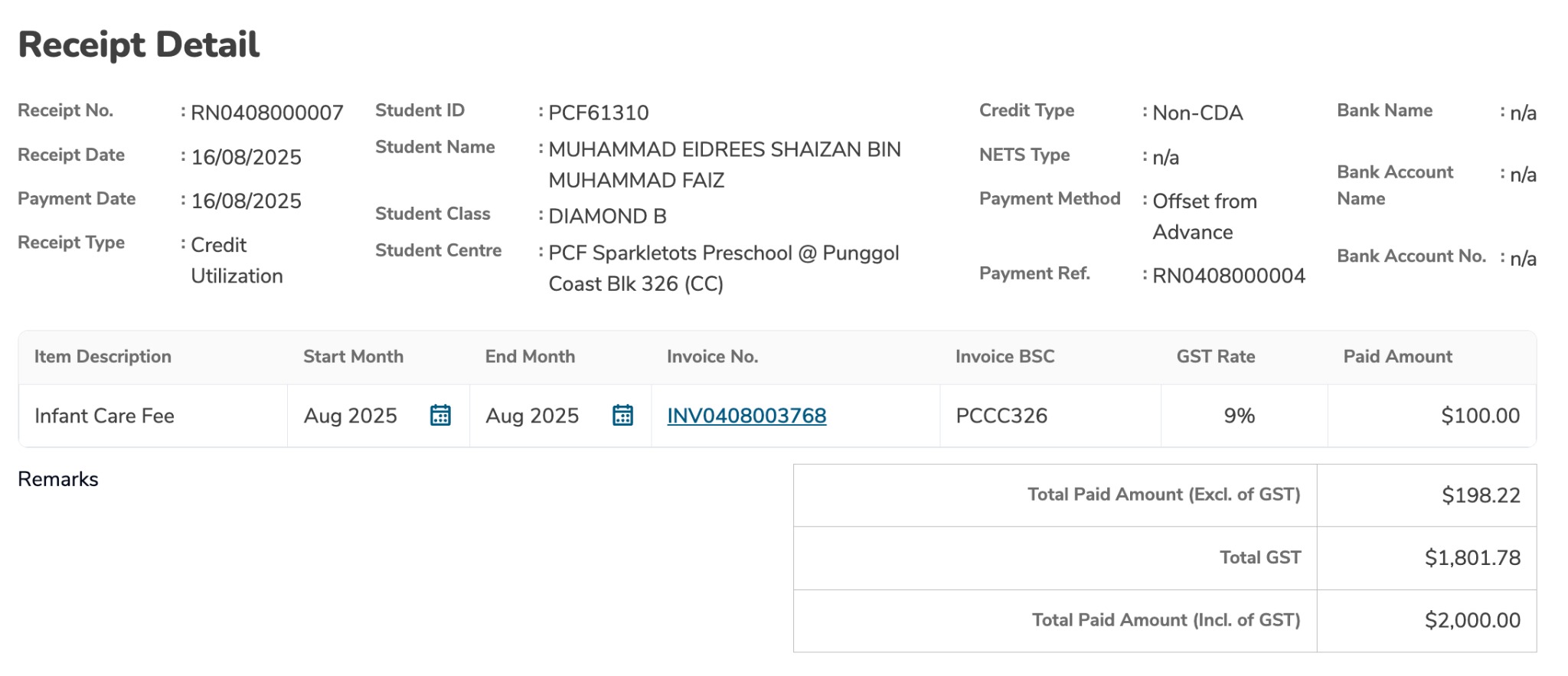
Step 3: Check Receipt Status
Click on the Receipt No to view receipt details
Check utilization amount and remaining balance
Was this article helpful?
That’s Great!
Thank you for your feedback
Sorry! We couldn't be helpful
Thank you for your feedback
Feedback sent
We appreciate your effort and will try to fix the article