
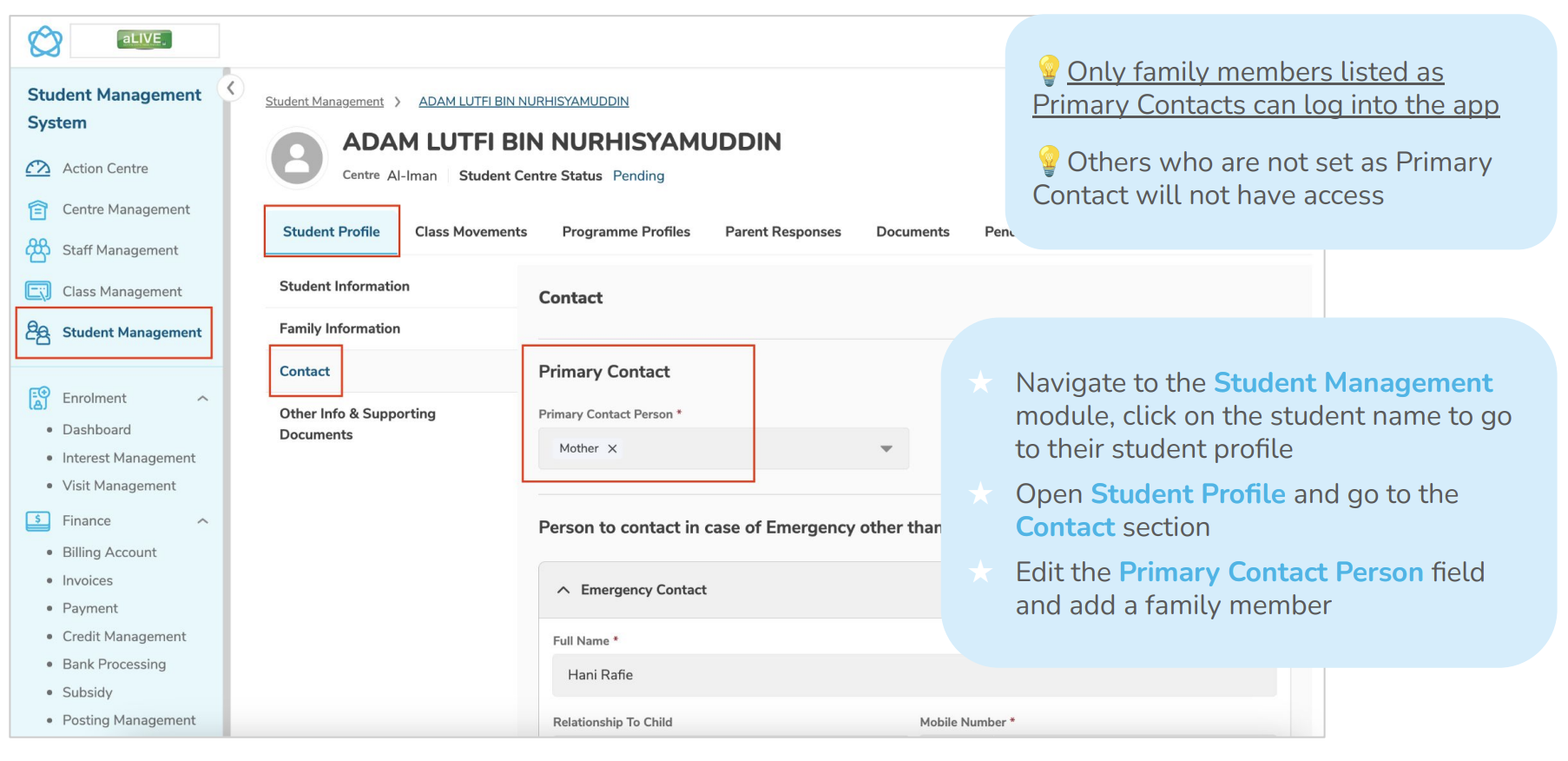
How to set up a parent access:
1. Navigate to Student Management module
2. Click on the student name to access their profile
3. Go to the Contact section
4. Edit the Primary Contact person field
5. Add a family member as a Primary Contact
6. Save changes
Import Notes:
- Only Primary Contacts can log into the app
- Family members not set as Primary Contacts will NOT have access
- Multiple Primary Contacts can be added for one student
If parent cannot log in:
- If parent cannot log in → Check if you have set the parent as Primary Contact
- Check on date of birth if it's missing. This prevents parent from logging in.
Need More Help?
If you're having trouble publishing broadcasts or need assistance with a specific situation, contact the LittleLives support team at mmwss.support@littlelives.com