
Before promote a student, please prepare the information below:
Academic year transition periods
New class/level structure already created
To promote a student:
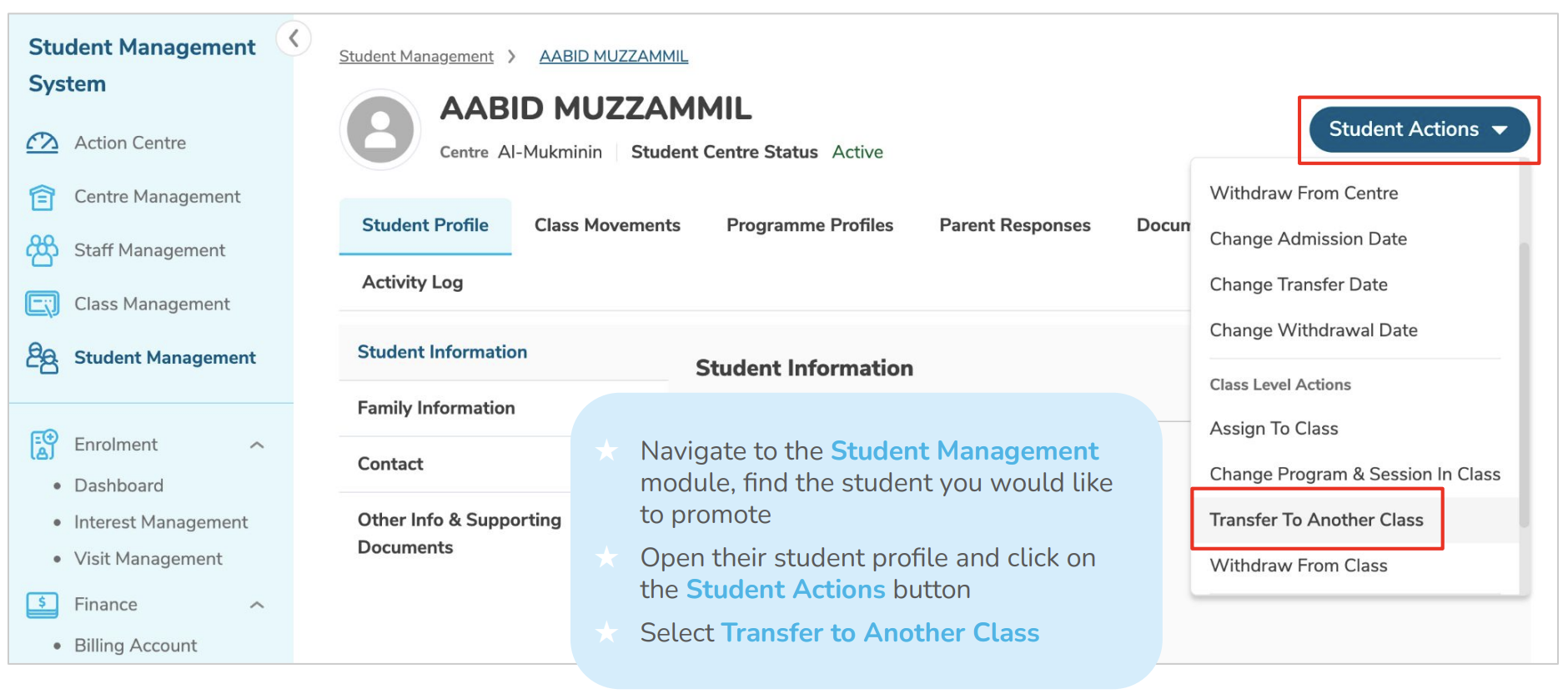
1. Navigate to Student Management
2. Access Student Promotion section
3. Select student for promotion
4. Click on Student Actions and select Transfer to another Class
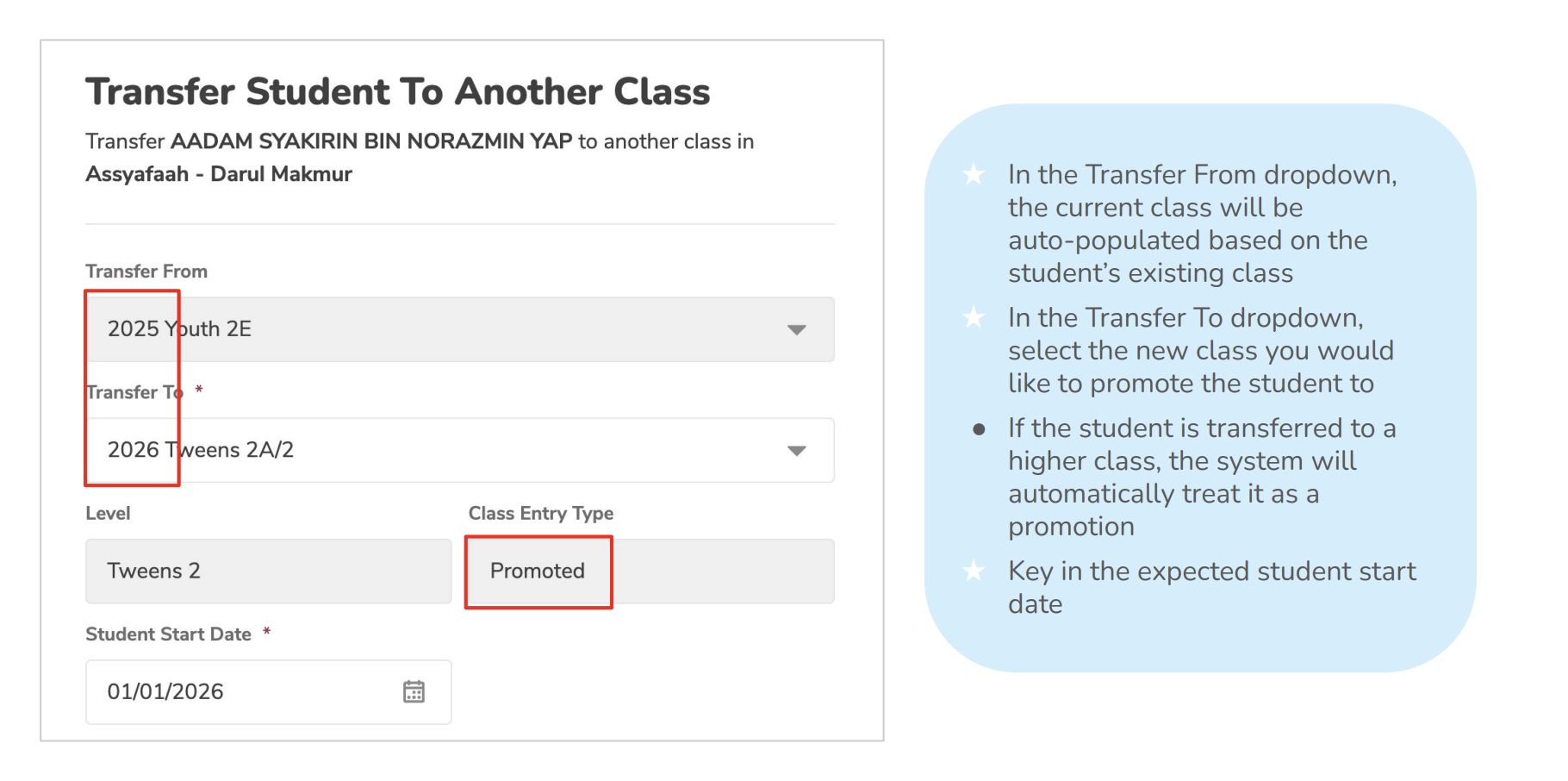
5. Choose destination class/level
6. Set effective date
7. Review promotion details
8. Confirm and process with the promotion
Recommend actions after promoted students:
- Notify parents through Broadcast
- Verify updated class information appears correctly
- Check parent app displays updated information
Need More Help?
If you're having trouble publishing broadcasts or need assistance with a specific situation, contact the LittleLives support team at mmwss.support@littlelives.com