
Option 1: View by Student
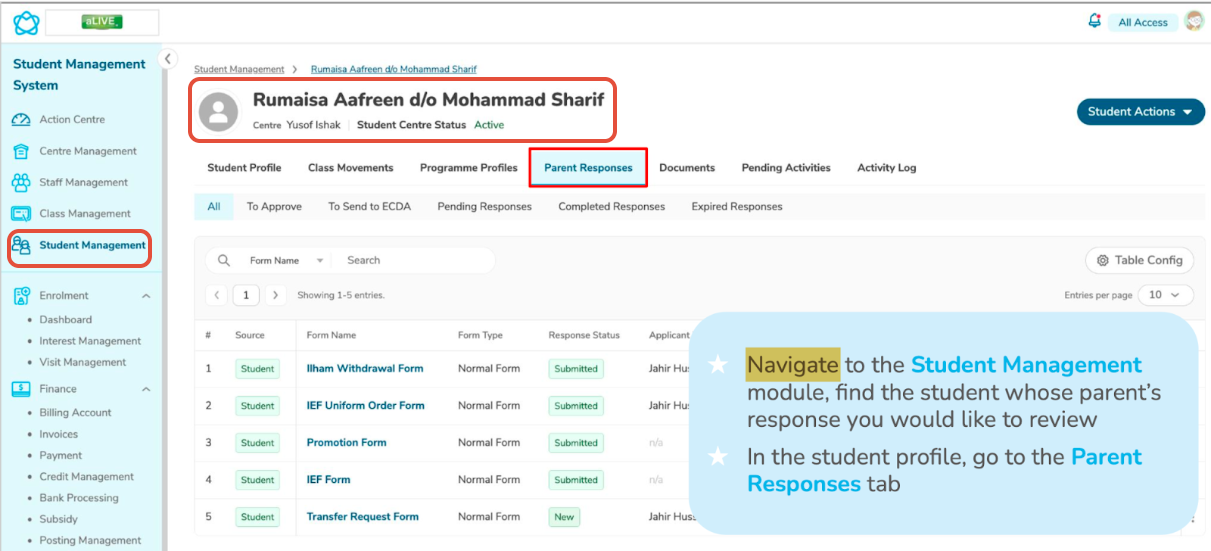
Navigate to the Student Management module.
Search for the student whose parent’s response you want to review.
Click the student’s name to open the profile.
Select the Parent Responses tab to view all submitted responses for that child.
Note:
1. ? You can use the search bar to quickly locate a student.
Option 2: View All Parent Responses
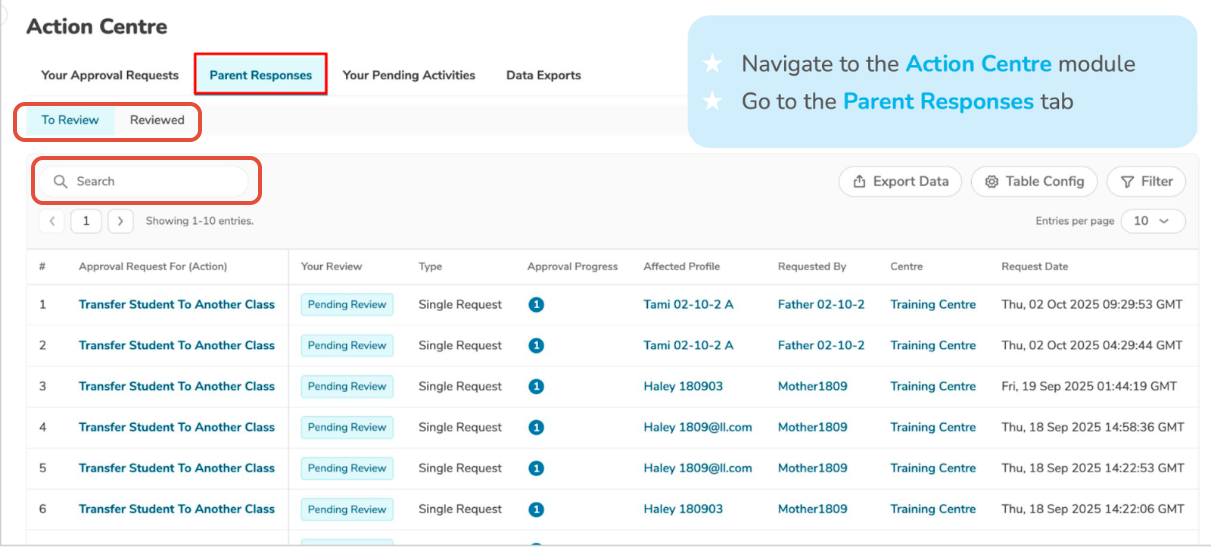
Navigate to the Action Centre module.
Click the Parent Responses tab.
Review the list of all parent responses across the centre.
Filter or search to find specific submissions.
Tips:
1. ⚠️ Make sure you apply the correct filters to avoid missing any responses.