
How to View Invoices:
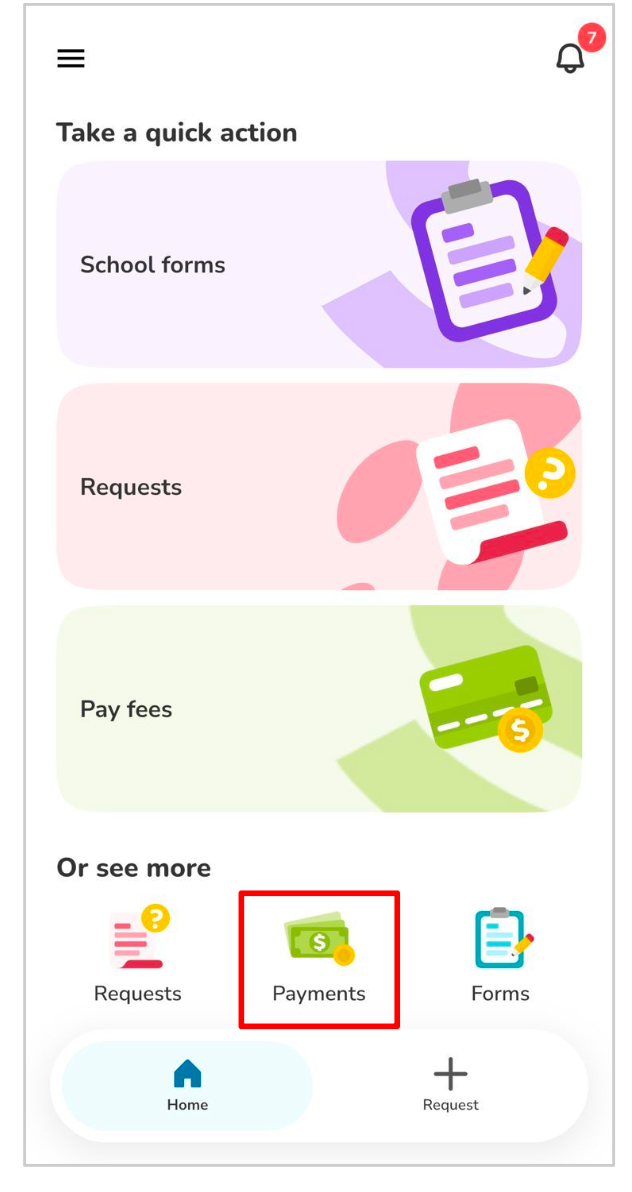
Navigate to the Payments section on the homepage.
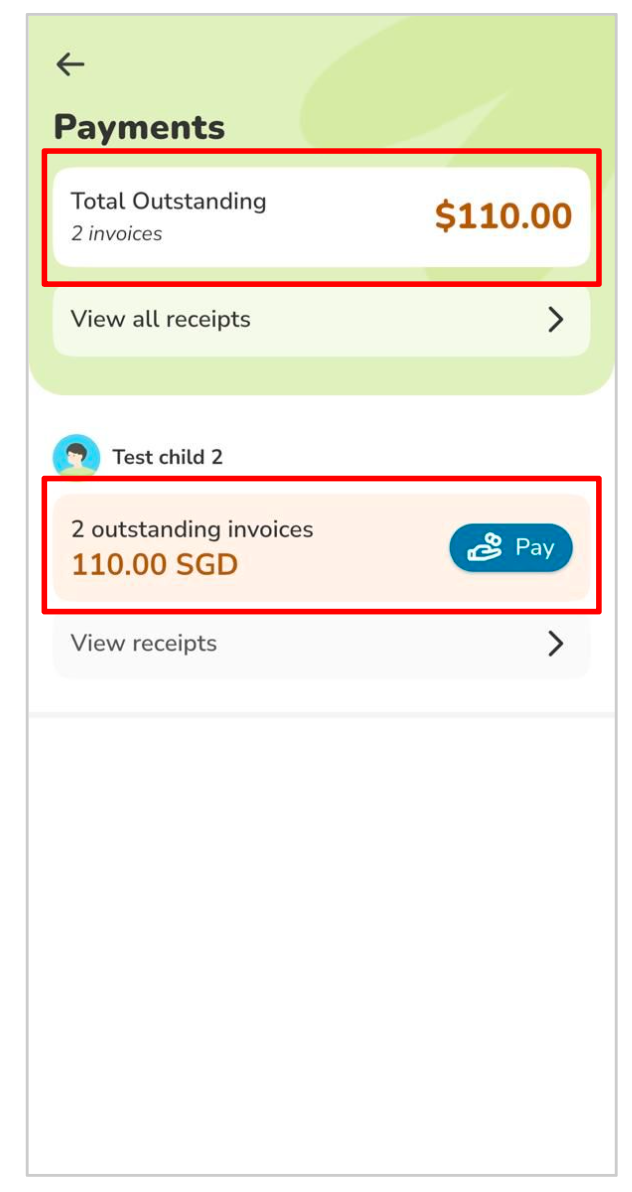
2. Tap the Total Outstanding section to view all outstanding invoices for all your children.
3. Tap the [XX] Outstanding Invoices section to view outstanding invoices for a specific child.
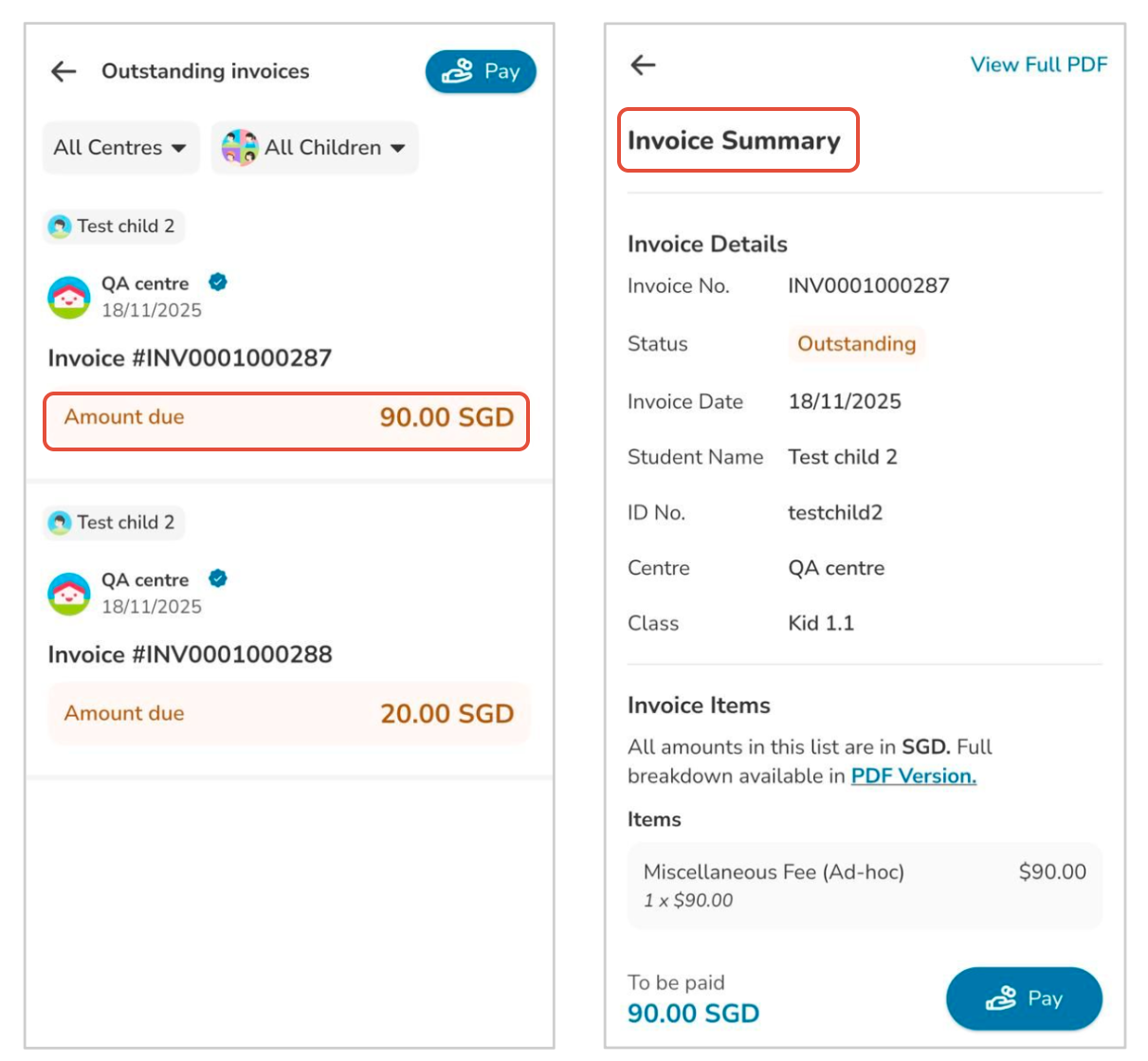
4. Select any outstanding invoice to open its Invoice Summary.
Tips:
? Use the child-specific view to quickly check which invoices belong to each child.
⚠️ Ensure your app is updated to the latest version so all invoice details display correctly.
How to View Receipts:
1. Navigate to the Payments section on the homepage.
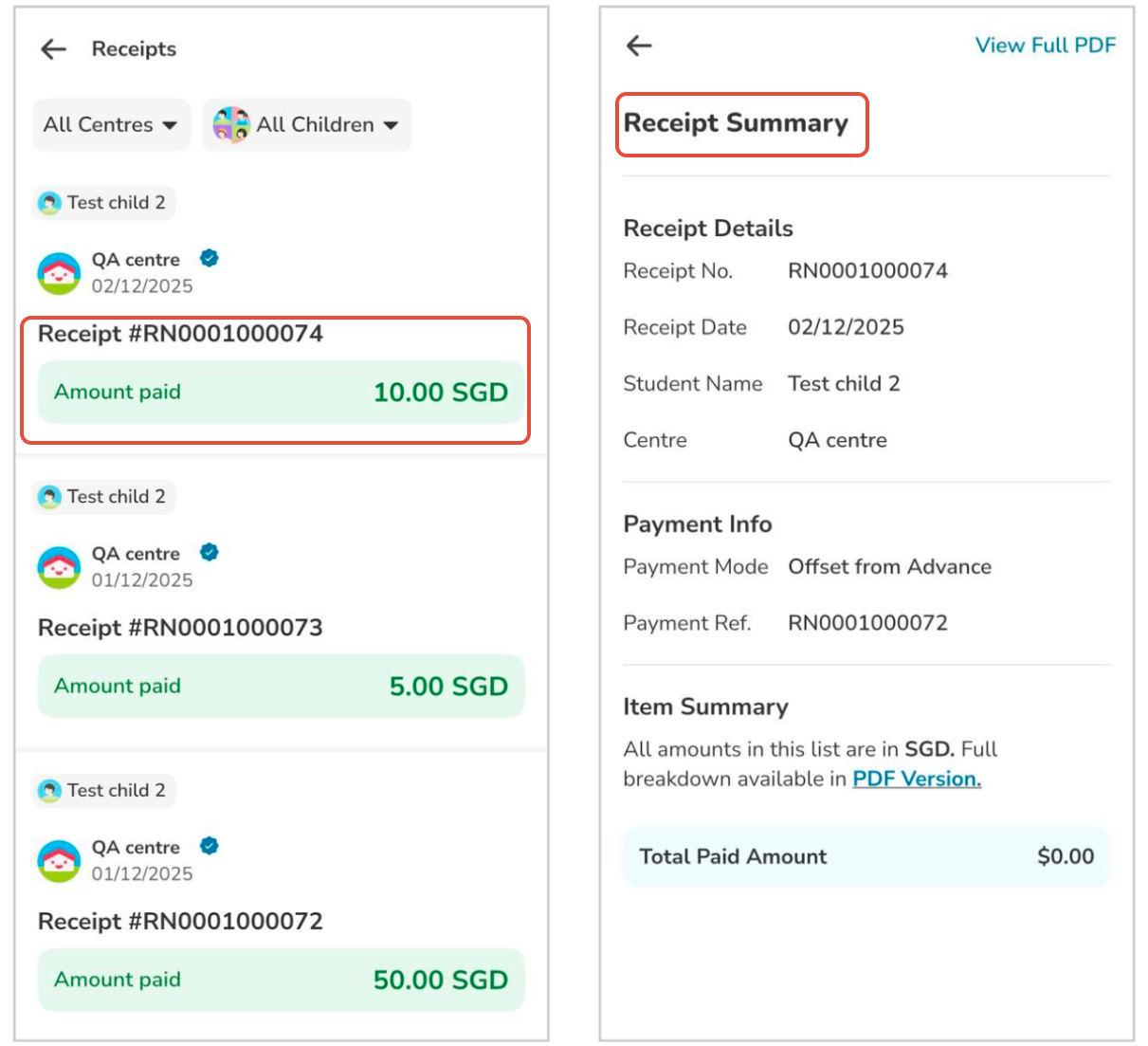
2. Tap View All Receipts at the top to see receipts for all your children.
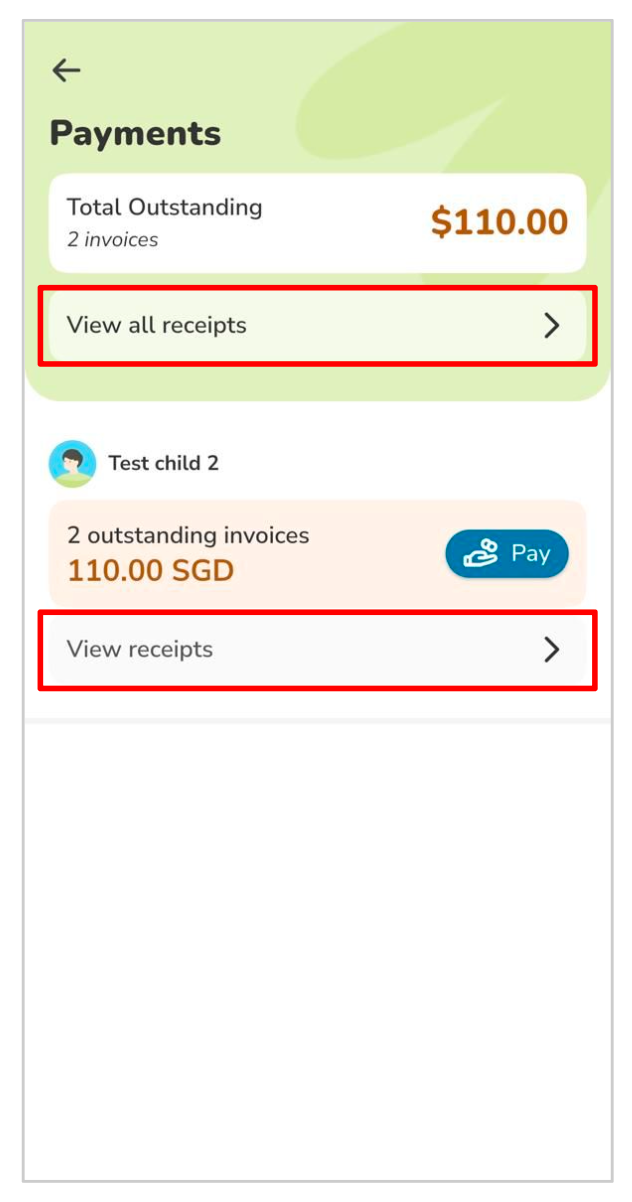
3. Tap View Receipts under a specific child to view only that child’s receipts.
4. Select any receipt to open its Receipt Summary.
Tips:
? Use the child-specific view to quickly track payments made for each child.
⚠️ If a receipt is missing, confirm that the payment was successfully processed before reaching out to the centre.