
When to use this feature?
You can use the feature to find students when parent contacts for support i.e parent requests account help, verifying which children are linked to a parent, troubleshooting their access issues etc.
How to search?
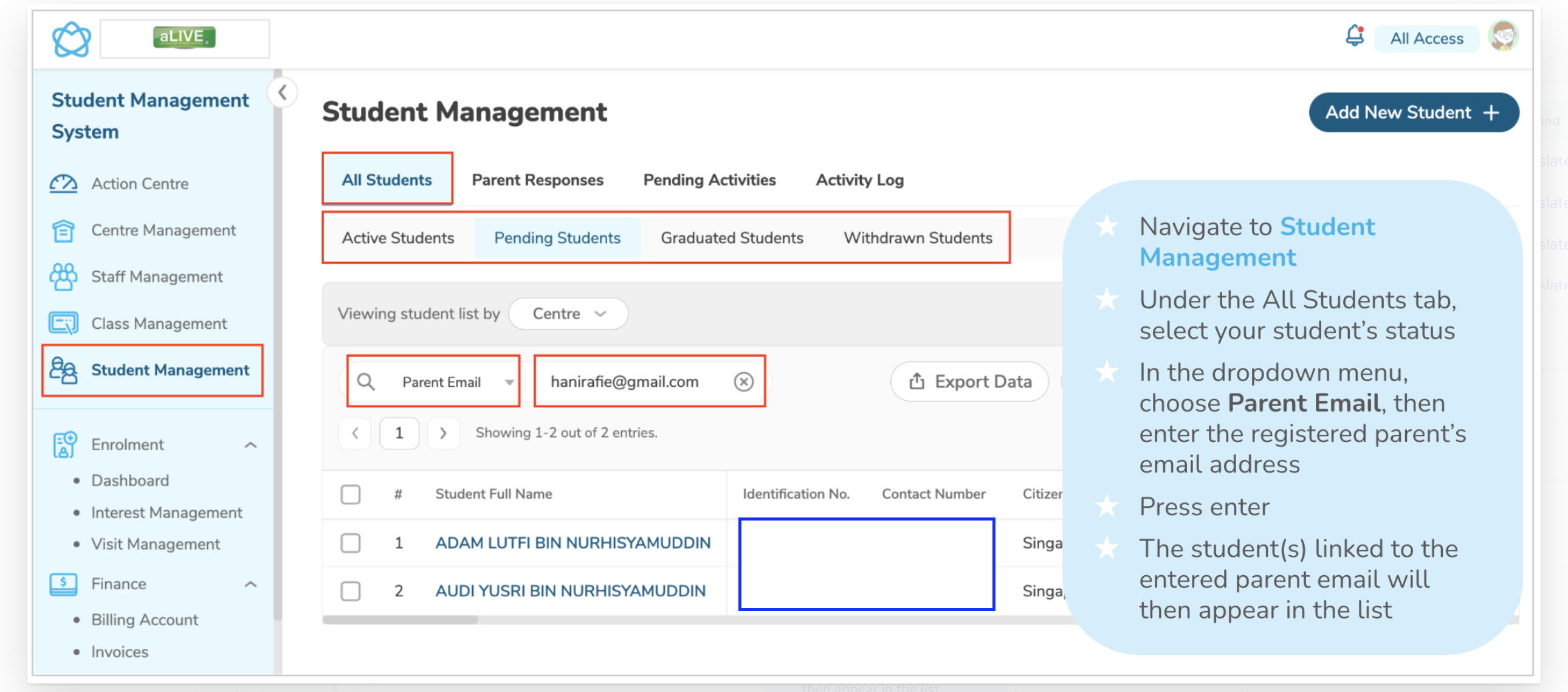
- Navigate to Student Management
- Under All Students tab, select a student status you want check
- From the dropdown menu, select Parent Email
- Enter a registered parent's email address
- Click Enter
- The list of students linked to that email will be showing for your review
Need More Help?
If you're having trouble publishing broadcasts or need assistance with a specific situation, contact the LittleLives support team at mmwss.support@littlelives.com