
How to Make a Payment in the App
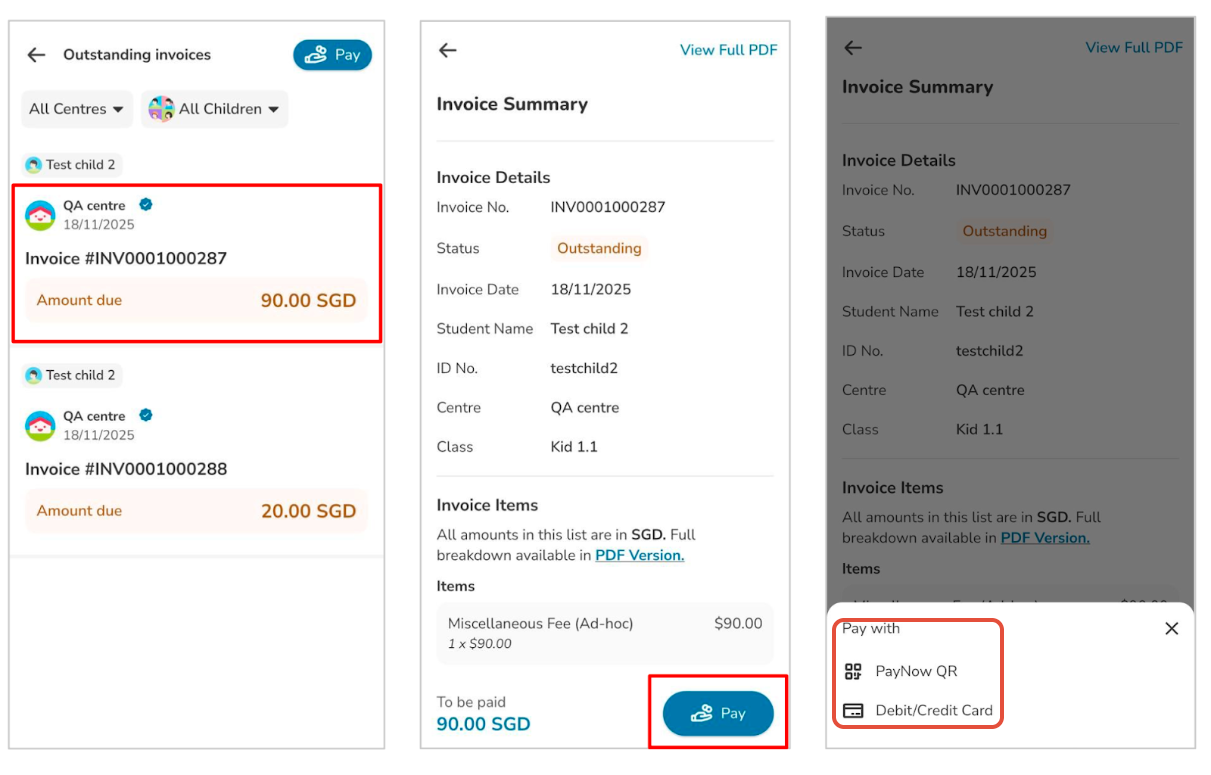
Open the Invoices section and tap Pay Now on the invoice you want to settle.
Choose your payment method:
Credit/Debit Card
One-time payment
Recurring payment (if enabled by the centre)
Enter your card details.
Confirm the payment to complete the transaction.
After a successful payment, you will receive a confirmation and a receipt in the app.
How to pay a single invoice:
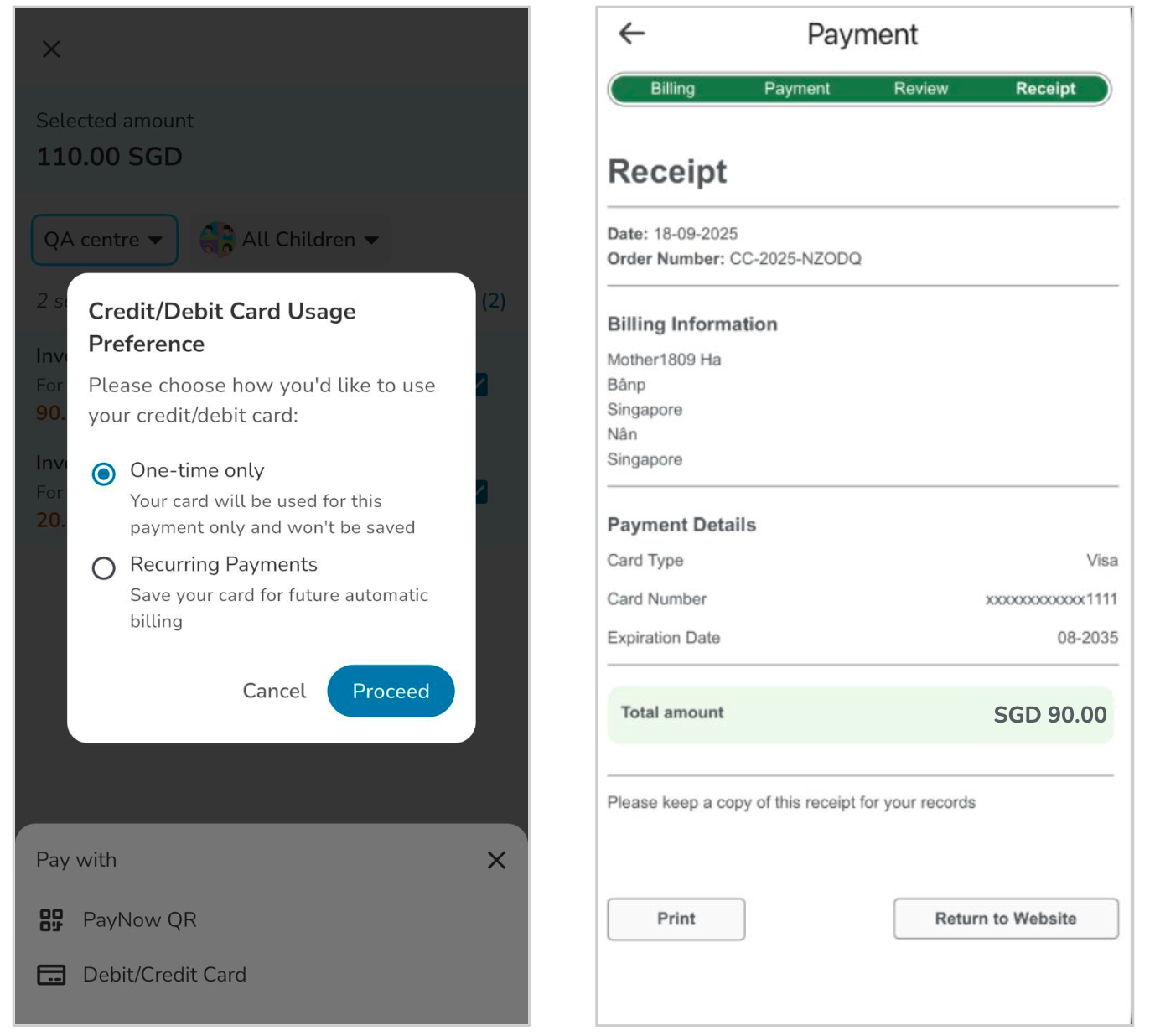
How to pay multiple invoices:

Reminder and assurance for parents:
1. All transactions are processed through a secure, trusted payment gateway.
2. The platform complies with strict data protection and privacy standards.
3. For security reasons, full card details are never stored on the system.