Step 1: Tap on Communications tab
Step 2: Click on the message that parents sent to view the content of the message.
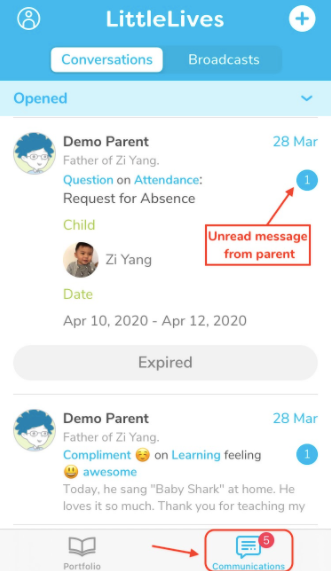
Note: The number (badge notification) next to the message indicated that the message has not been read.
Was this article helpful?
That’s Great!
Thank you for your feedback
Sorry! We couldn't be helpful
Thank you for your feedback
Feedback sent
We appreciate your effort and will try to fix the article