Parents can now contact our Support team via Mobile Application! Kindly refer below for the step by step guide:
1. Open Little Family Room app and click on More icon at the bottom left.
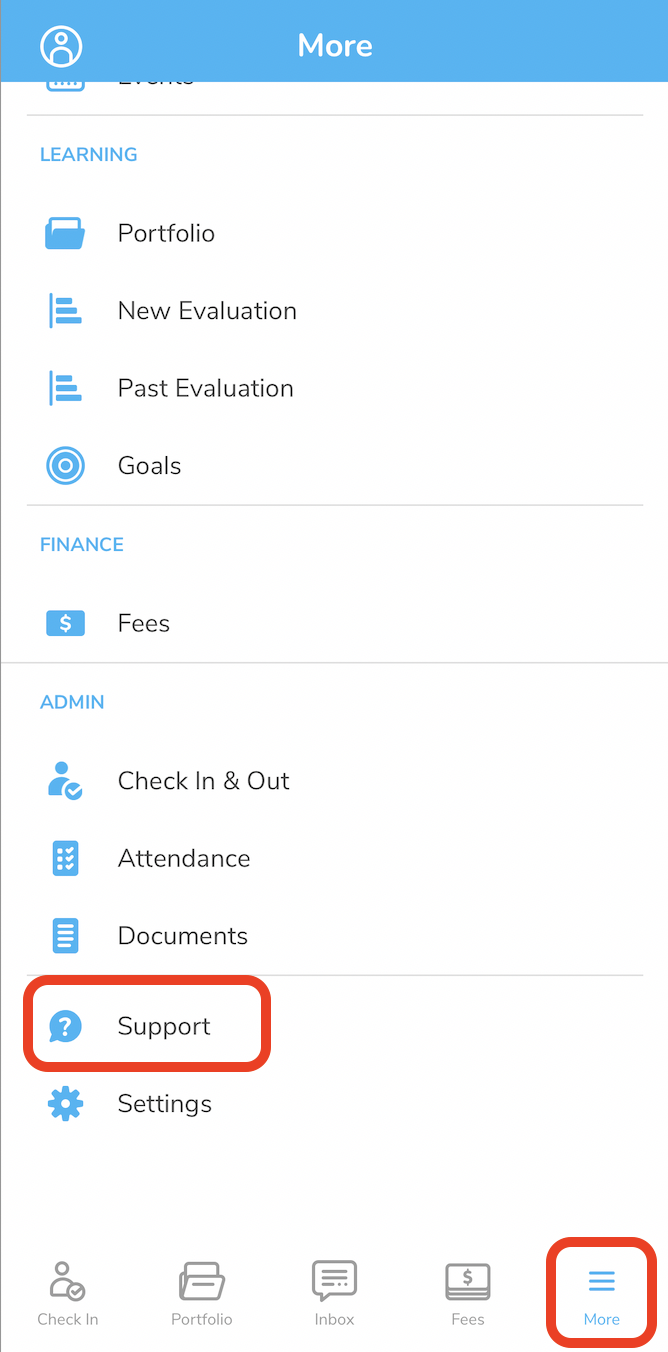
2. Click on Support and Contact Us
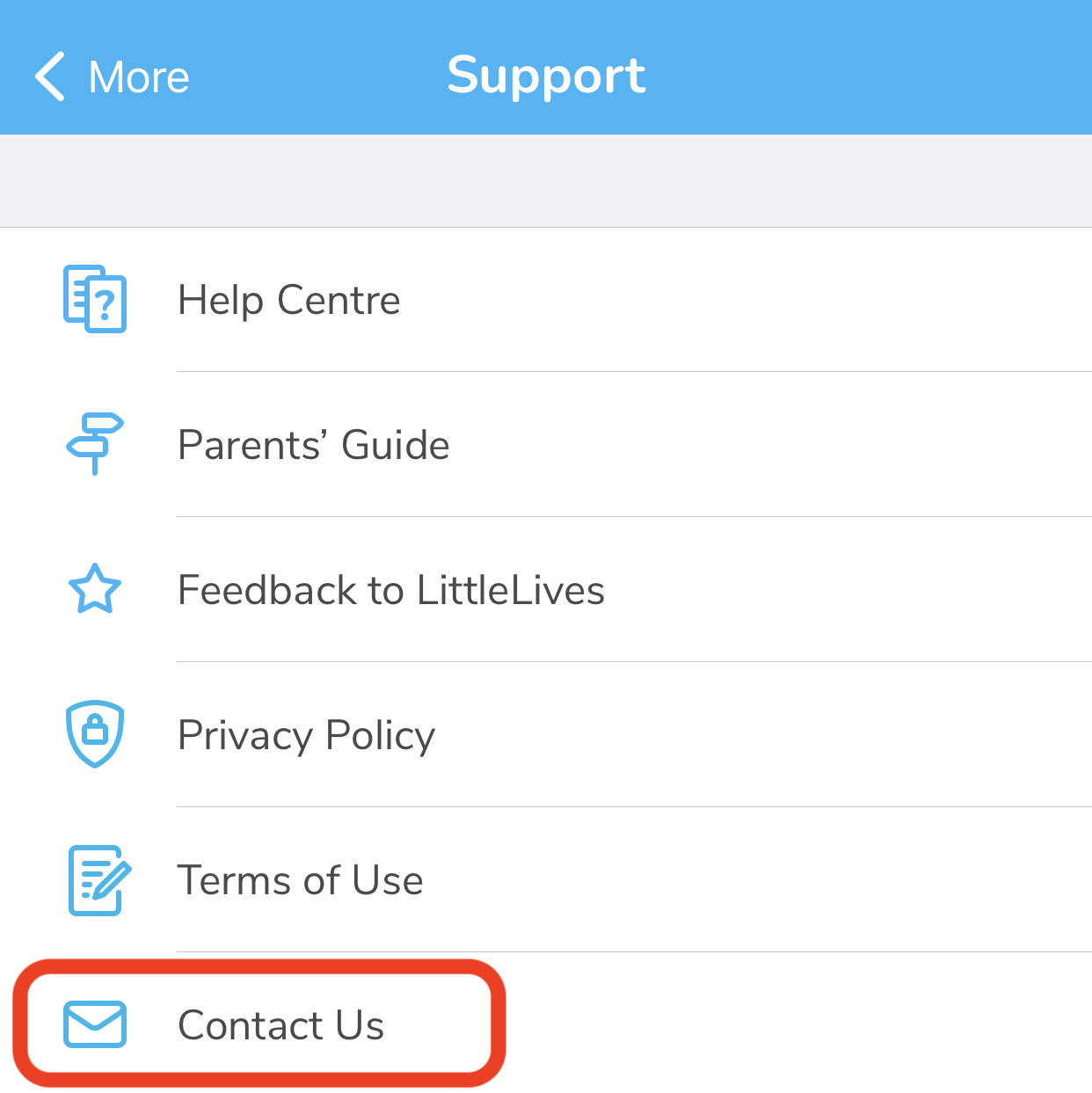
3. The button will link you to send a ticket via LittleLives Help Centre
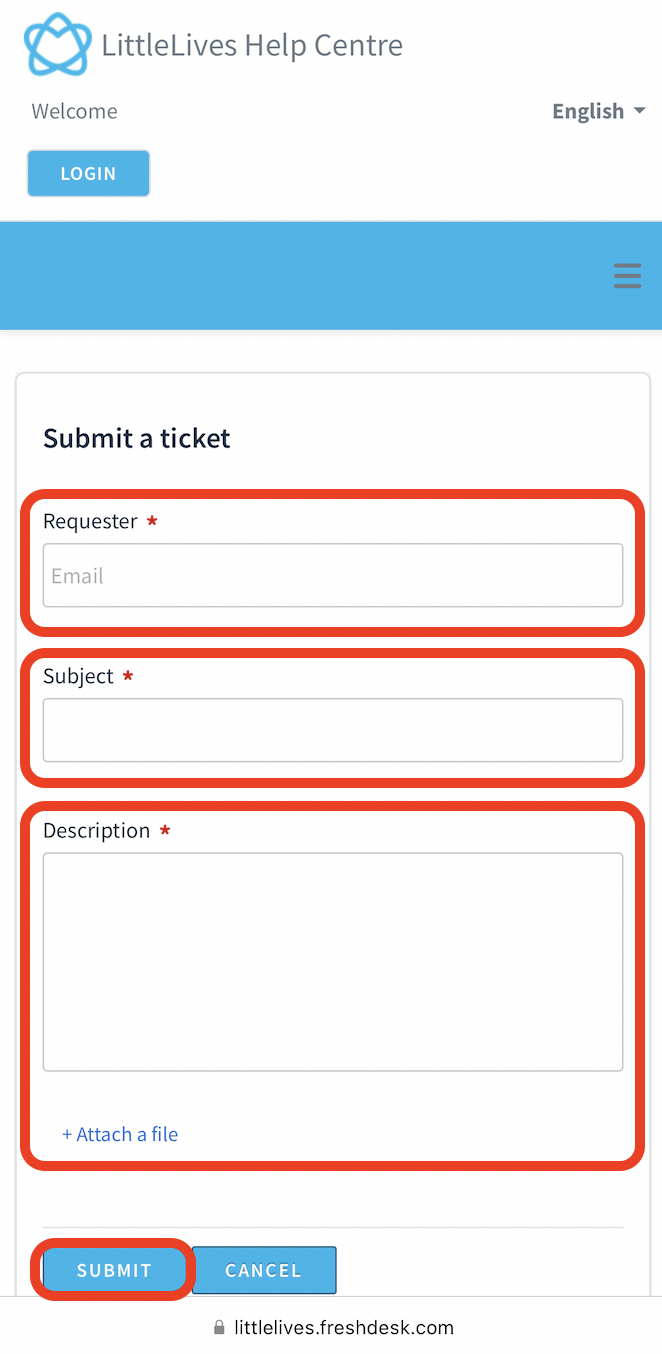
4. Key in the Requester email, Subject, Description and attach file. Click Submit to send the ticket
Was this article helpful?
That’s Great!
Thank you for your feedback
Sorry! We couldn't be helpful
Thank you for your feedback
Feedback sent
We appreciate your effort and will try to fix the article