
Here are the steps to Utilize Advance Receipt for Outstanding Invoice: Step 1: Find Outstanding Invoice
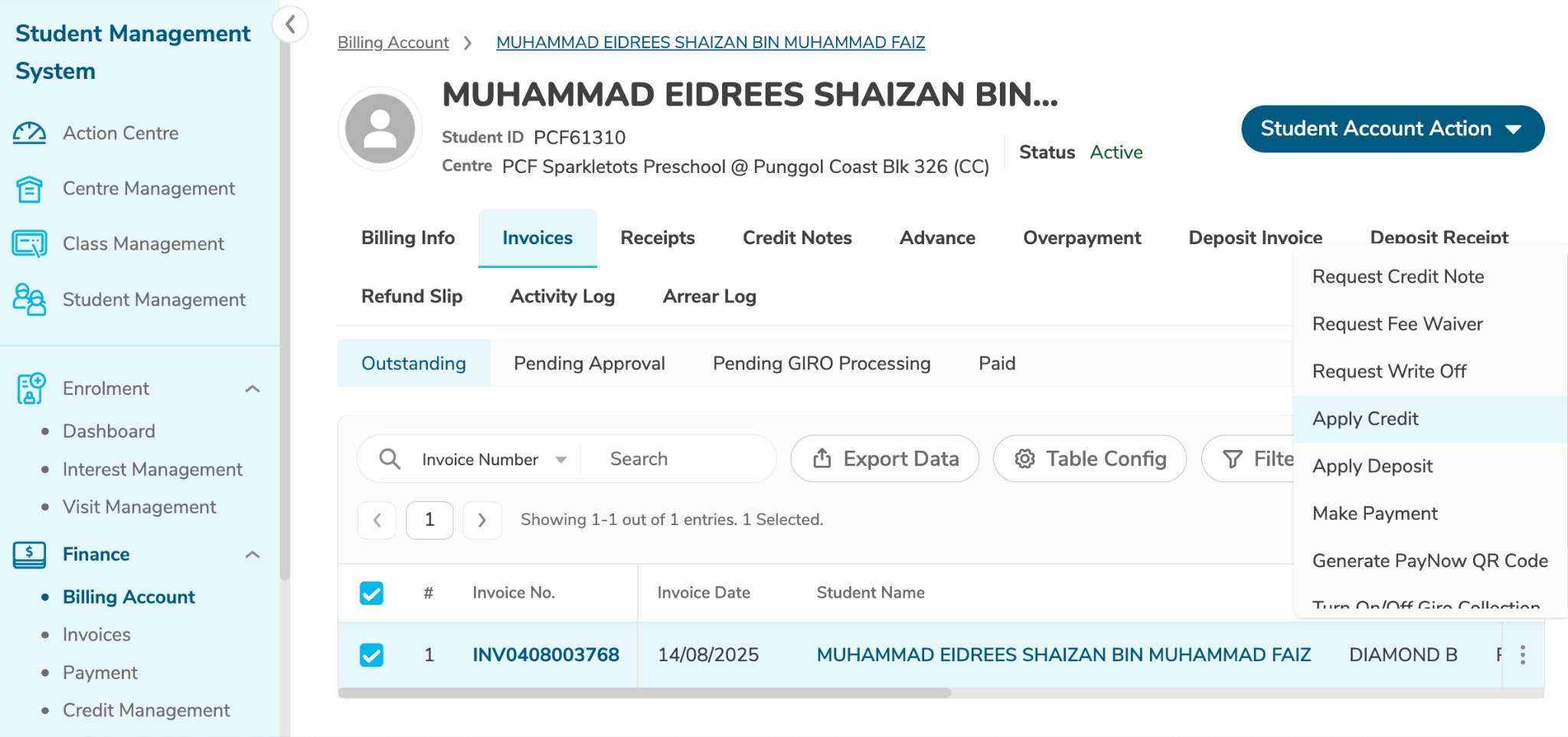
Go to Student Billing Account → Invoices → Outstanding
Locate the invoice you want to apply advance payment to
Click the Action Button for that invoice
Select Apply Credit
Step 2: Select and Apply Credit
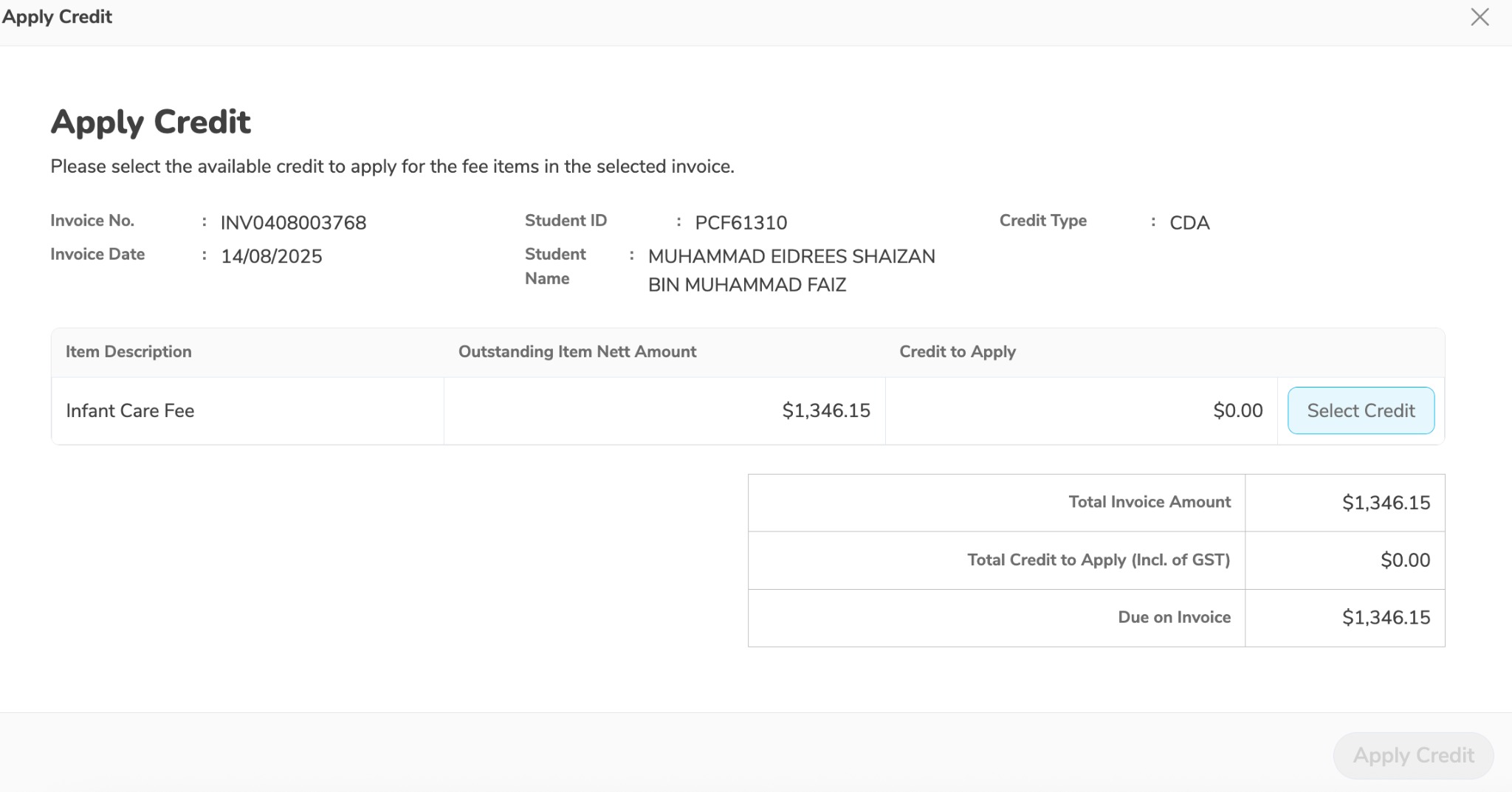
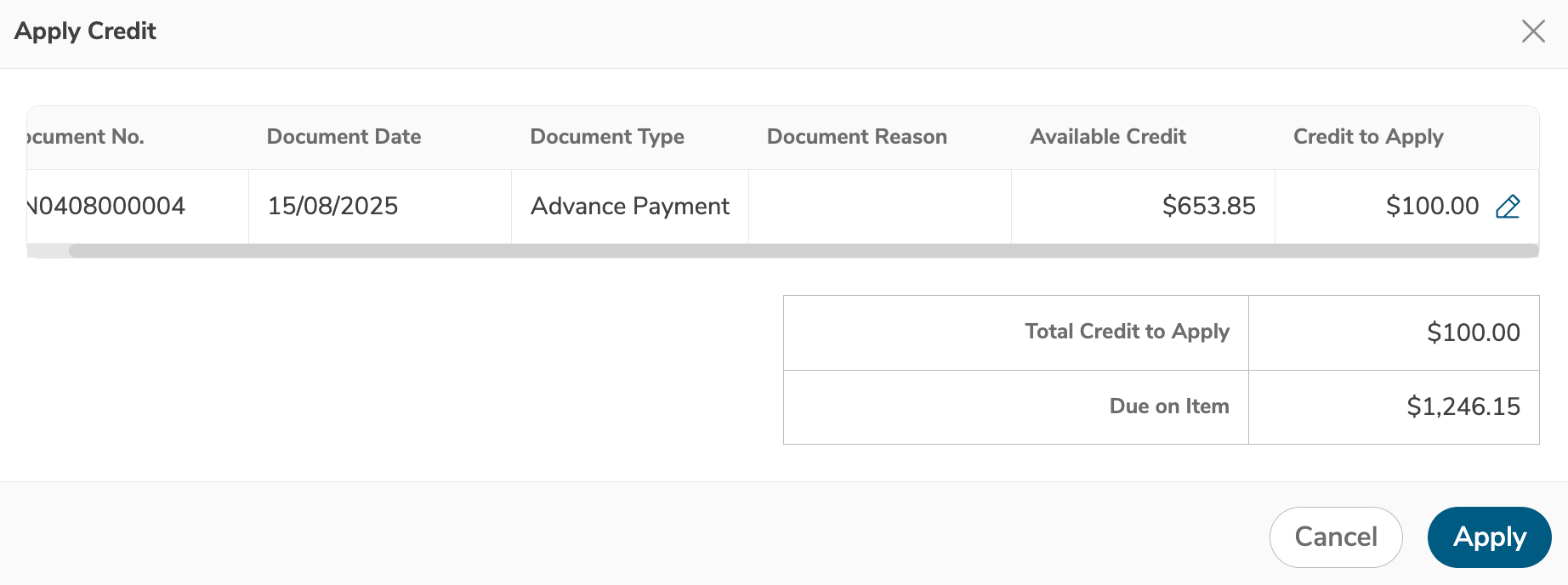
Choose the appropriate advance receipt from Select Credit
Edit credit amount if you want to apply partial payment
Click Apply to process the payment
Step 3: Confirm Application
The system will automatically apply the credit to the invoice
The invoice amount will be reduced accordingly
Click on the Invoice Number again to view details.
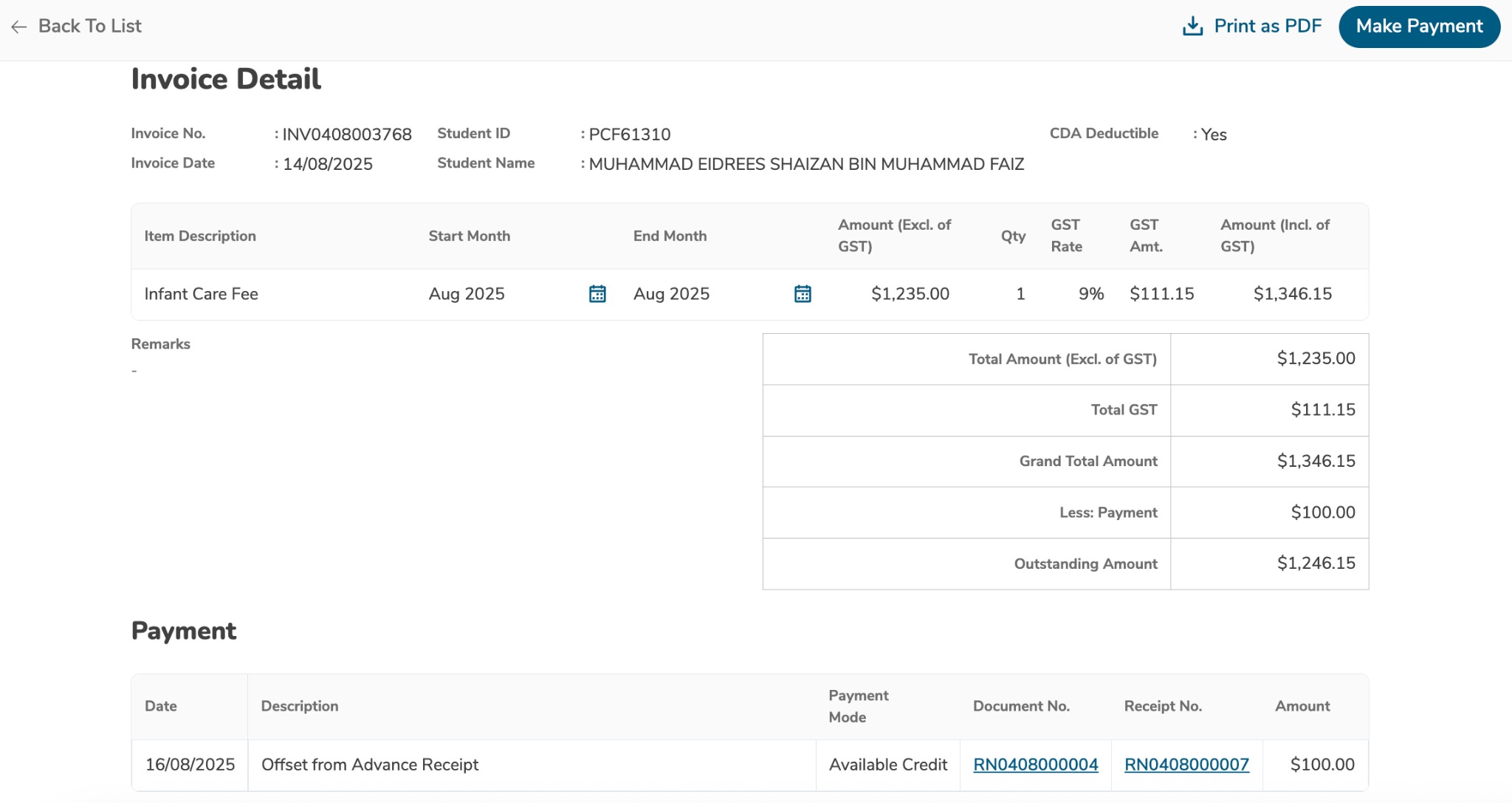
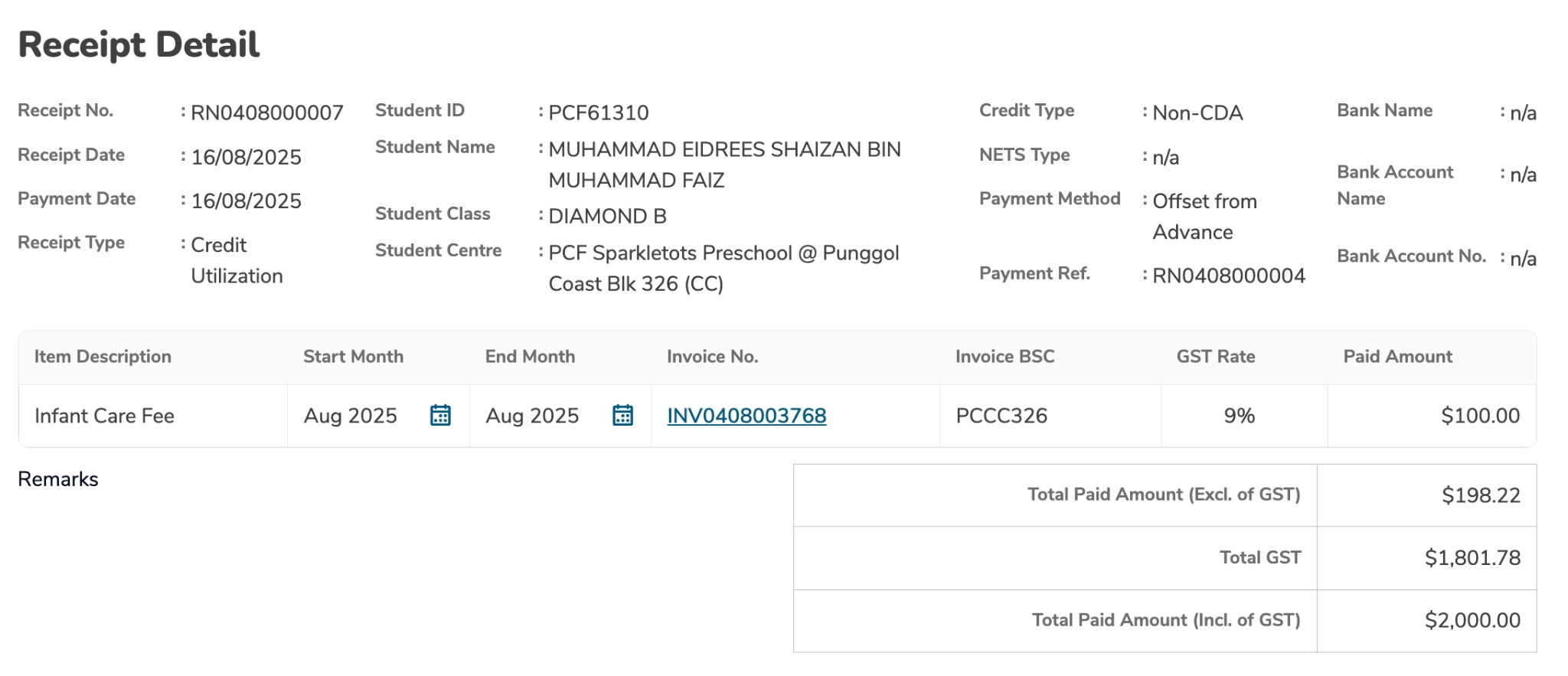
2. Click on the Receipt No. to view Receipt Detail
Watch the video below:
Was this article helpful?
That’s Great!
Thank you for your feedback
Sorry! We couldn't be helpful
Thank you for your feedback
Feedback sent
We appreciate your effort and will try to fix the article