Step 1: Install Little Family Room app via Apps store (iOS) / Google Play (Android) and login with your credentials.

Step 2: Go to the Inbox. For conversations in which school included other parents in a message, you will see it labelled as a Group Conversation.
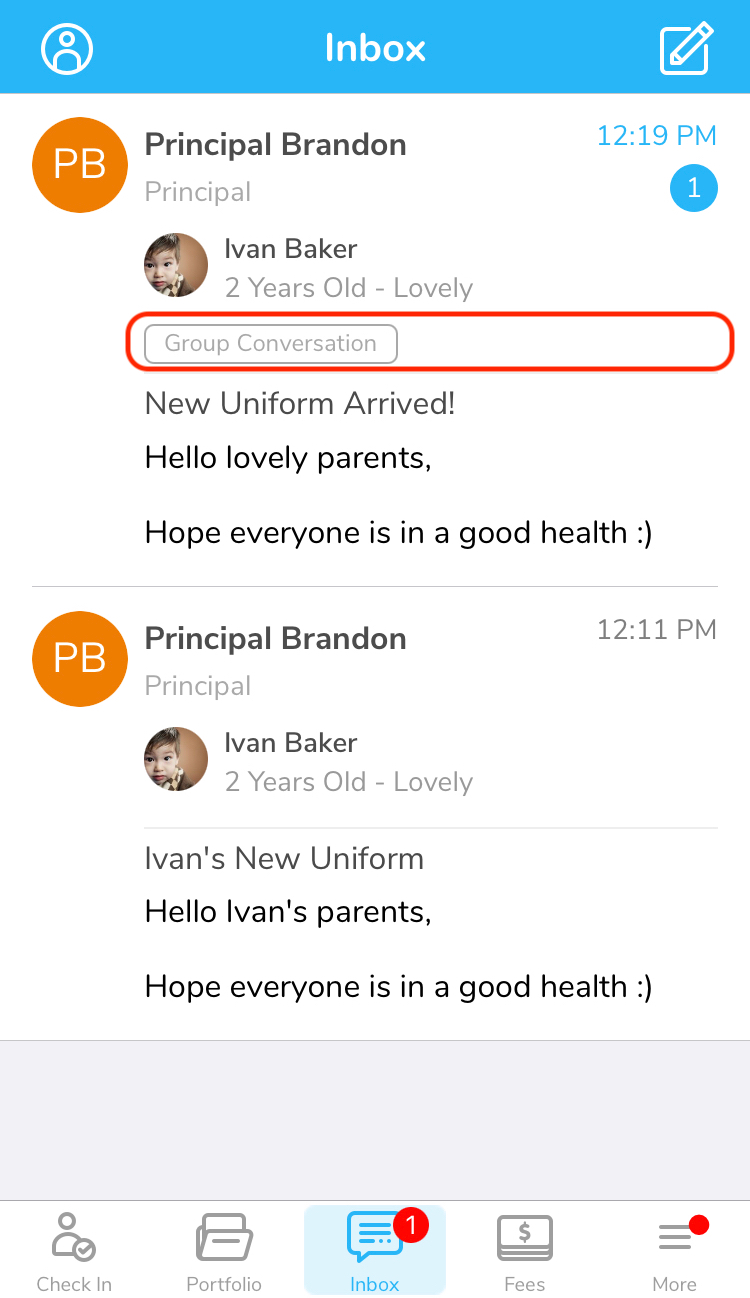
Step 3: Click to read the message.
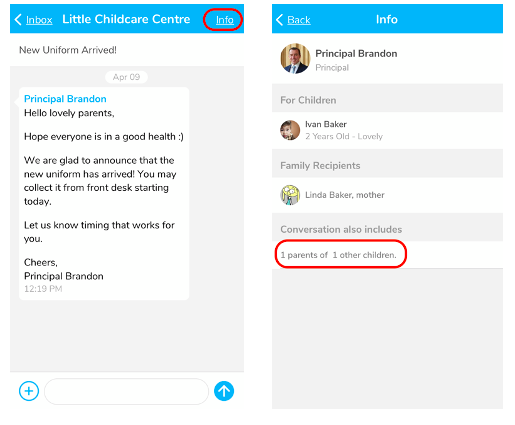
Step 4: Click on the Info at the right corner of your screen. You can see name of family recipients (if any) and number of parents and children included in the same conversation.
Was this article helpful?
That’s Great!
Thank you for your feedback
Sorry! We couldn't be helpful
Thank you for your feedback
Feedback sent
We appreciate your effort and will try to fix the article