Steps:
Navigate to Fee Configuration.
Go to the Pending Activities tab.
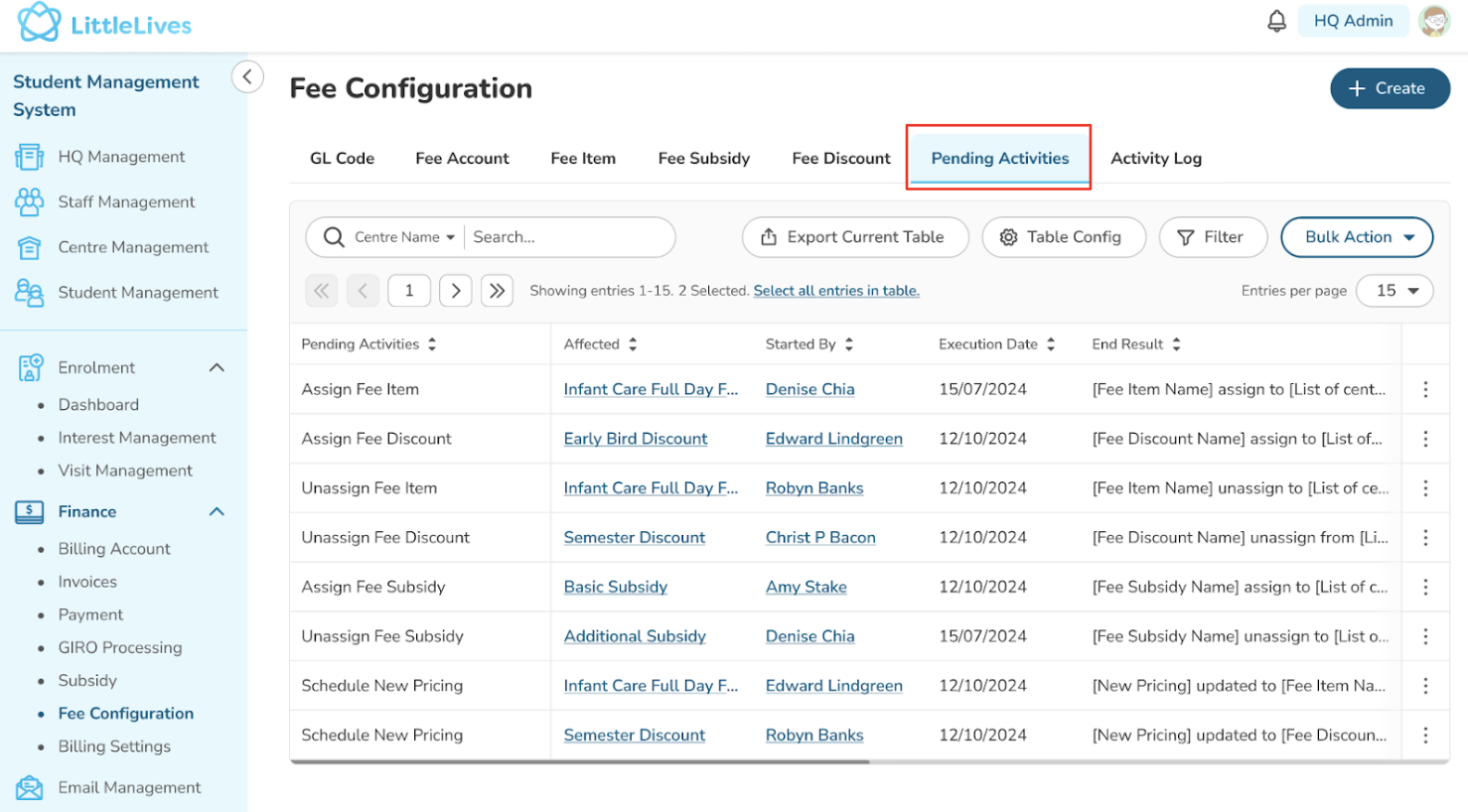
Fields Configuration:
The fields in the Pending Activities tab are configurable, with default settings aligned with the sheet.
Cancel Pending Activity
HQ Admin: Can cancel all pending activities for any fee item across centres.
Centre Admin: Can only cancel pending activities for fee items associated with their specific centre.
Was this article helpful?
That’s Great!
Thank you for your feedback
Sorry! We couldn't be helpful
Thank you for your feedback
Feedback sent
We appreciate your effort and will try to fix the article