How to Manage Payment Modes
1. View Payment Modes in HQ
Step 1: Navigate to Billing Settings
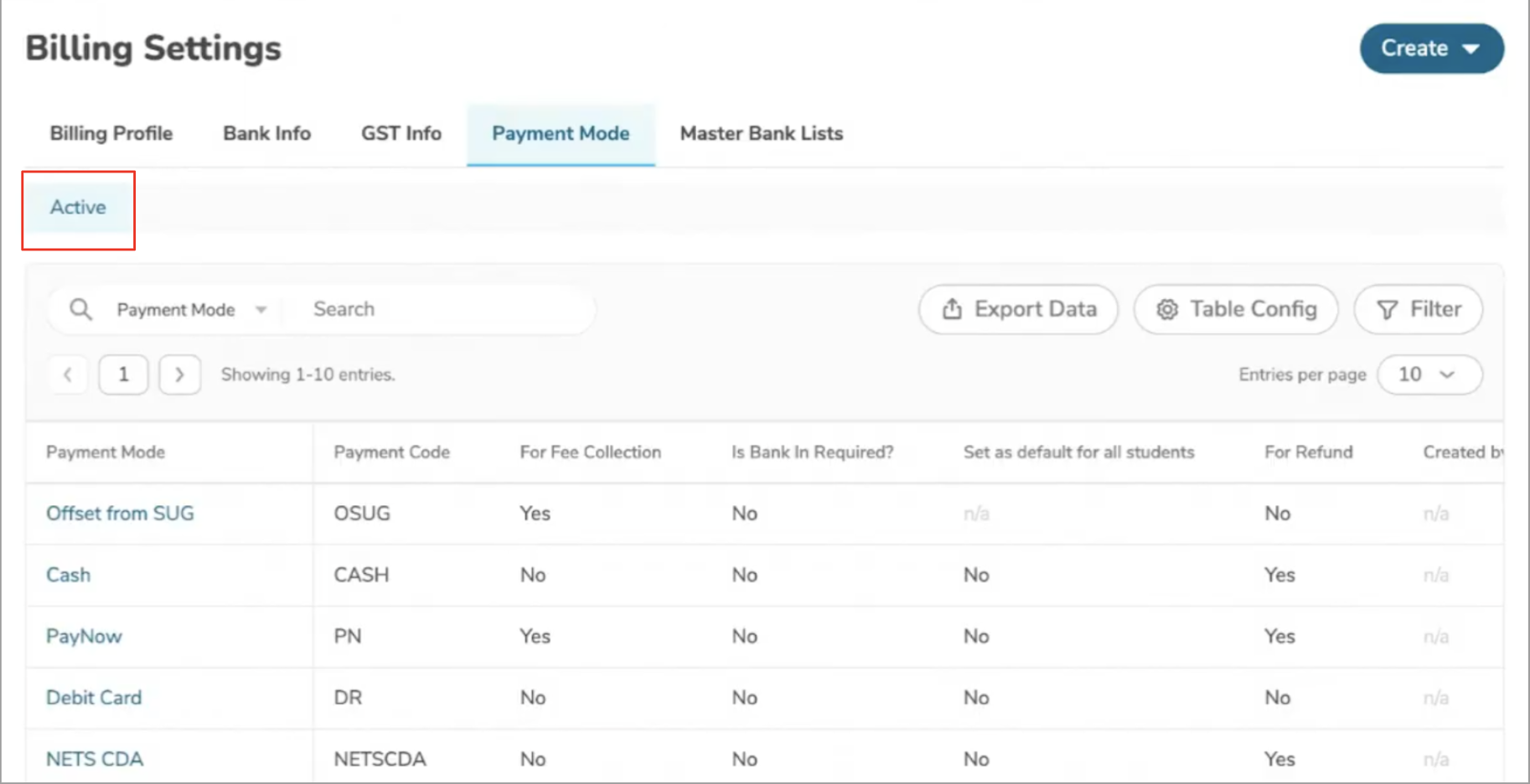
Go to Billing Settings.
Step 2: Access Payment Modes
Go to the Payment Mode tab, where you will see a list of all Active Payment Modes.
2. View Payment Modes at Centre Level
Step 1: Navigate to Centre Management
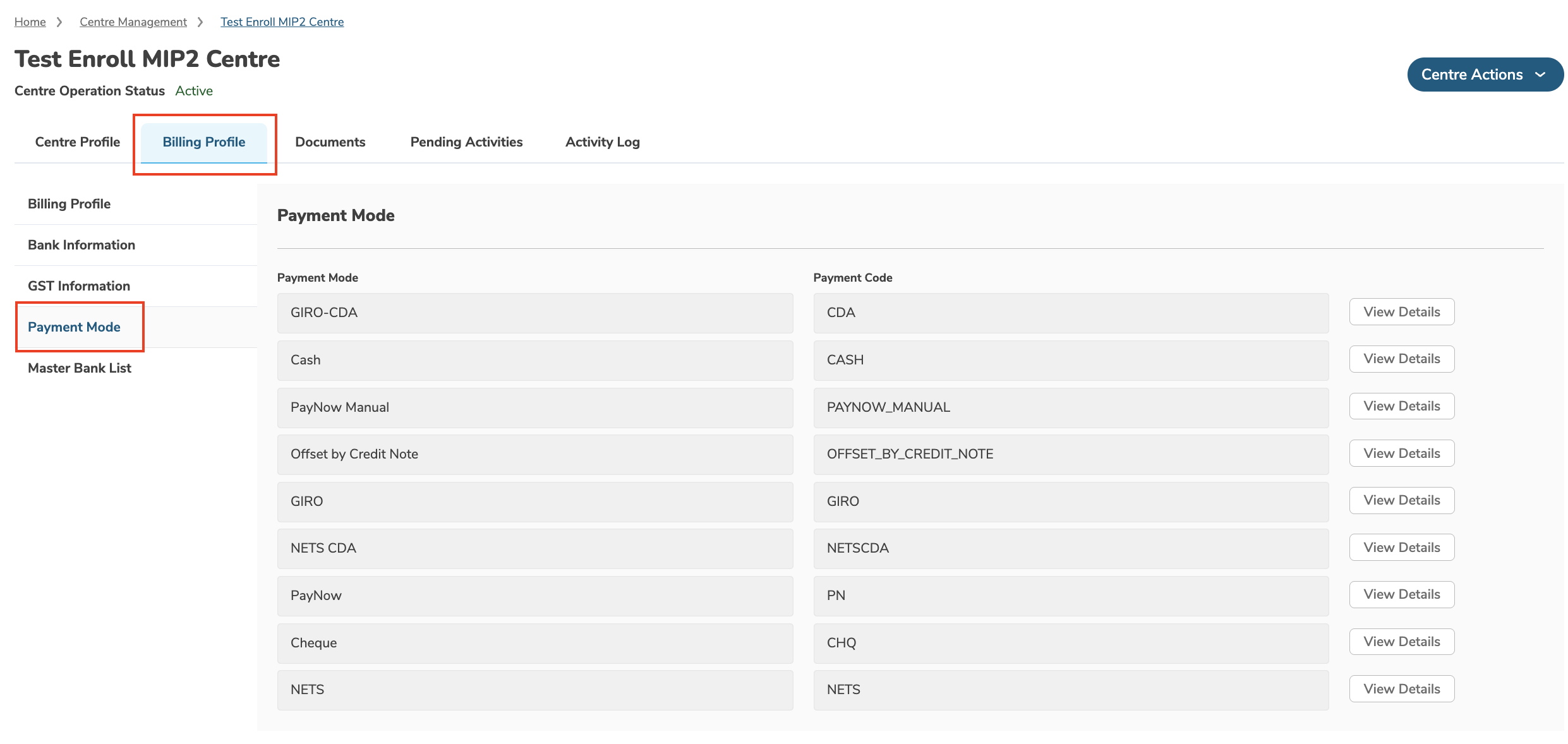
Open your Centre’s profile page.
Step 2: Access Payment Mode Section
Go to the Billing Profile tab and open the Payment Mode section.
Was this article helpful?
That’s Great!
Thank you for your feedback
Sorry! We couldn't be helpful
Thank you for your feedback
Feedback sent
We appreciate your effort and will try to fix the article